Source clip
Make the BbY WOW entrance yours.
Walk into the party, make the hand-to-mouth gesture, and look straight into the camera. Create your version of the BbY WOW meme with your photo and a reference video.
Add a clip to estimate credits
Review the cost before you generate.
Pick your template
Community example
Trend reference
Trend reference
Trend reference
The entrance gets you noticed. The stare makes the joke. AibbyWow lets you direct both with a video reference, then bring your own face, outfit or character into the scene. You don't need to film yourself doing the dance.
What is the BbY WOW AI meme?
The party version of Dime Dime Baby follows a simple sequence: walk toward the camera, bring a hand to the mouth, hold a serious stare, then dance away. It is also shared as the BbY WOW guy meme; a creator's template post uses both names.
The name connects the clip with “BbY WOW” by KAROL G, Judeline and rusowsky. “Dime dime baby” means “tell me, tell me, baby.” There are other dances to the same song; this page is about the party entrance and stare. Listen to the song.
The fun is in the contrast: a familiar face, an unexpected outfit, and an entirely serious performance. Decide who takes the lead, then choose whether to reinterpret the movement or replace someone in the existing scene.
One performance. Two ways to make it yours.
Motion Transfer — give your character the moves
BbY WOW
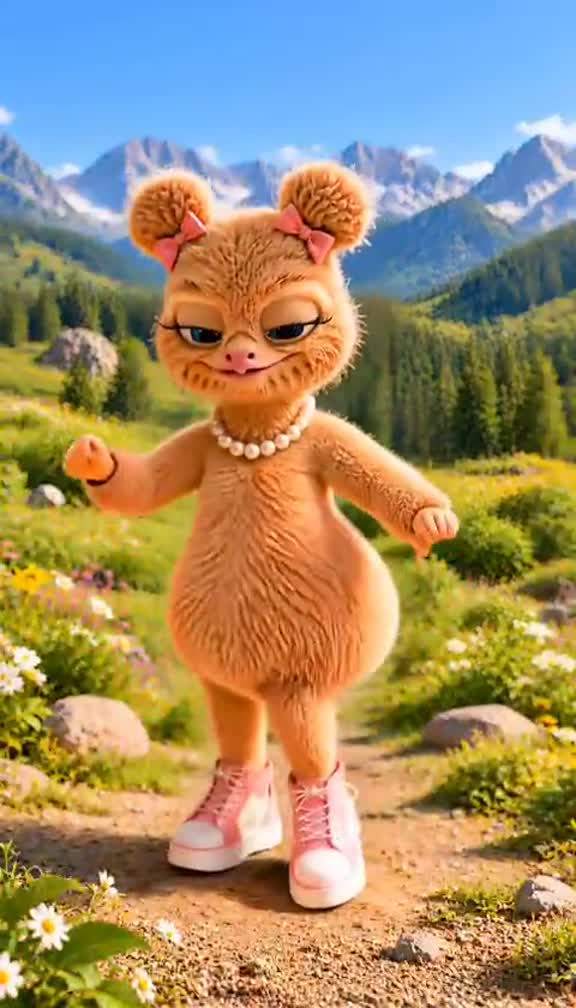
Use the source clip to guide the entrance, the gesture and the turn. Your reference image gives Genjutsu the character's appearance to work from.
Choose this mode when you want to reinterpret the performance with a new character, setting or visual style. A different look can become part of the joke.
Tell the model what matters most: the pause before the stare, the serious expression, or the rhythm of the walk. Let the video carry the movement reference.
Object Swap — put yourself in the scene
Start with the shot you want to remake and identify the foreground performer to replace. Add your photo as the reference for the new lead.
Choose this mode when the existing party setting is part of the appeal and your main change is who appears in it. Describe the performer clearly so the task focuses on the intended subject.
Direct the model to retain the surrounding scene while making the replacement. Faces, hands and background details can still change during generation; the finished clip is an AI remake.
| What you want | Motion Transfer | Object Swap |
|---|---|---|
| Starting idea | Give a character the reference performance | Replace a subject in an existing shot |
| Creative direction | Explore a different look or setting | Focus the change on the lead performer |
| Useful instruction | Follow the entrance, gesture and turn | Replace the foreground dancer using my photo |
Make your version in three steps
Source video Your photo Your result
Bring the moment
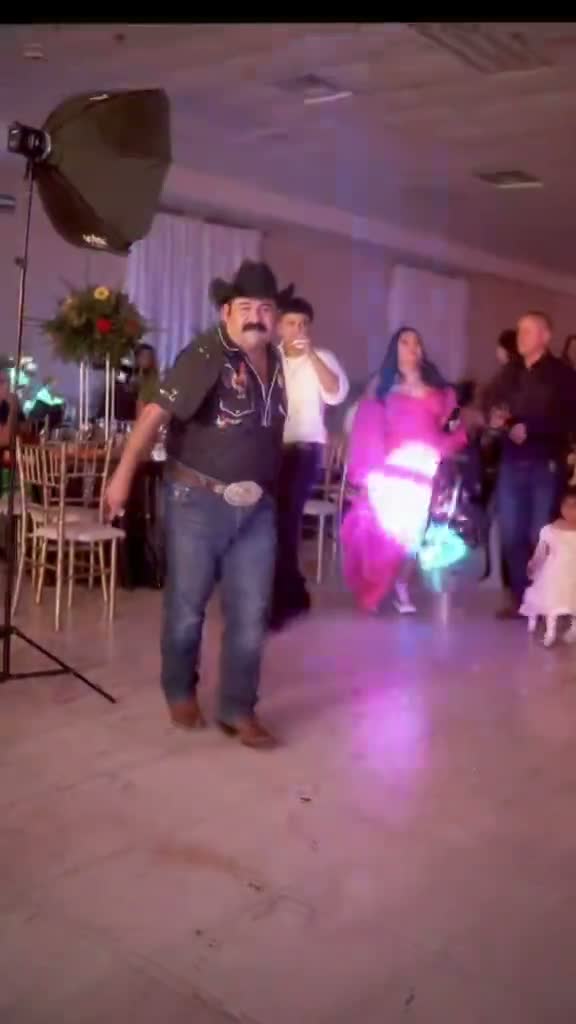
Source video Add the reference video you want to follow and select a 4–30-second clip.
Include the approach, the gesture and the stare if you want the full party sequence. Keep the turn at the end for a complete finish.
Put yourself in it
Your photo Add a clear photo, choose Motion Transfer or Object Swap, and use a prompt below as a starting point.
Choose 480p or 720p. The generation quote shows the credits needed for your selected clip before you start.
Watch your entrance
Your result Play the finished video and see how the face, gesture and stare come together.
Download from the result card, or find the completed video again in your account. Use photos and clips you have permission to feature.
Examples are supplied references. AI results can vary.
Prompts that focus on the moment
Give the model a clear job: who is in the scene, which actions matter, and what should stay. These prompts are written for the gesture-and-stare version; adapt them if your reference shows a different performance.
Motion Transfer prompt
Use the source video as the movement reference and image 1 as the character reference. Follow the approach toward the camera, the visible hand-to-mouth gesture, the pause with a serious stare, and the turn away. Keep the character's face and outfit consistent with image 1. Preserve the pause without adding a smile. Follow the reference timing and do not add extra actions.
For a different look, add one specific change to the setting or style. Keep the action sequence clear.
Object Swap prompt
Replace the main foreground performer with the person in image 1. Use the image to guide the face, hair and outfit. Follow the source video's entrance, hand-to-mouth gesture, serious look into the camera, and turn away. Keep the hand visible during the gesture. Aim to retain the camera framing, party setting and background guests while changing the lead performer.
If several people are visible, identify the target by their position and clothing. Mention image 1 only after adding your photo.
Keep the part that makes it funny
Leave room for the entrance. A close crop can reveal the face but lose the walk that sets up the joke. Follow the performer through the whole selected clip before settling on a frame.
Make the face readable. Choose a sharp photo with the eyes visible and enough clothing detail to guide the look. A wider photo helps only if the face is still clear.
Keep the gesture and the pause. Don't trim away the hand-to-mouth gesture or cut straight from the gesture to the exit. The serious look between those actions is part of this version's character.
Credits for your next entrance
Choose a credit pack for the videos you want to make. Generation cost depends on your clip's length and resolution; both modes use the same listed per-second credit rates.
Start with a spark
Trial
—
one-timeUSD · one-time payment
One-time credit pack
480Credits
480p · up to 8s total
Up to 8s total at 480p
720p needs at least 520 credits
720p needs at least 520 credits
A little more room
Mini
—
one-timeUSD · one-time payment
One-time credit pack
1,000Credits
480p · up to 16s total
Up to 16s total at 480p
720p · up to 7s total
Or up to 7s total at 720p
Make it your own
Starter
—
one-timeUSD · one-time payment
One-time credit pack
1,500Credits
480p · up to 25s total
Up to 25s total at 480p
720p · up to 11s total
Or up to 11s total at 720p
More room to explore
Creator
—
one-timeUSD · one-time payment
One-time credit pack
3,300Credits
480p · up to 55s total
Up to 55s total at 480p
720p · up to 25s total
Or up to 25s total at 720p
Included with every pack
- Motion Transfer and Object Swap
- Private history and MP4 downloads
- No credit expiry while the service is active; no auto-renewal
A 10-second clip uses 600 credits at 480p or 1,300 at 720p.
480p: 60 credits/sec · 720p: 130 credits/sec
Pack allowances are alternative uses of one balance and can cover multiple clips. Each clip must be 4–30 seconds. Combine packs for longer clips or 720p.
Pricing and billing detailsKeep the moment. Choose the length.
Trim the setup, keep the stare, leave room for the exit.
Billing rounds the prepared clip up to a whole second: 60 credits per second at 480p or 130 at 720p.
| Video duration | 480p | 720p |
|---|---|---|
| 4 seconds | 240 credits | 520 credits |
| 5 seconds | 300 credits | 650 credits |
| 10 seconds | 600 credits | 1,300 credits |
| 15 seconds | 900 credits | 1,950 credits |
The lowest-priced pack includes 480 base credits for —. Your generation quote shows the total for the selected clip.
Frequently asked questions
For this party clip, the names refer to the same walk, hand-to-mouth gesture and stare. BbY WOW is also the song title and is used for other dances. Use the preview to identify the version you want.
AibbyWow uses Genjutsu with both video and image references. You can use Motion Transfer to reinterpret a performance, or Object Swap to target a replacement within the source shot. That gives you two ways to direct the remake according to what you want to change.
Yes. Add a source video and at least one reference image. When a clip offers Recreate, it can supply the source video for you. The video provides the movement; the image guides the character's appearance.
Use an image that shows the face and outfit you want to reference, then describe the intended look. Motion Transfer also lets you direct a different setting or style. AI can alter details, so clothing and likeness are not guaranteed to match exactly.
Generation uses paid credits. The rate is 60 credits per second at 480p or 130 at 720p, with the prepared duration rounded up to a whole second. For example, a 9.17-second clip is billed as 10 seconds: 600 or 1,300 credits. See the quote for your clip before generating.
A clear reference clip, a recognizable photo and a focused instruction give the model specific material to follow. They do not guarantee a usable first result. Pay particular attention to the face during the turn and the hand near the mouth.
Where your posting platform offers it for your account and intended use, you can add the track there. Check the downloaded video's audio before combining tracks. AibbyWow does not promise the original recording as part of this workflow. [TikTok's music guidance](https://support.tiktok.com/en/business-and-creator/creator-and-business-accounts/commercial-use-of-music-on-tiktok?lang=en).
Use the result card to watch and download it, or open the video history inside your account. Before sharing realistic AI content, apply the labels required by your posting platform. [TikTok's AI content guidance](https://support.tiktok.com/en/using-tiktok/creating-videos/ai-generated-content/).
Make the entrance yours.
Bring the clip, add your photo, and give the party a new lead.
Create my video